
Reader Zone5.3.24 - Google Play
You'll be able to see results in few seconds.
Publisher Description

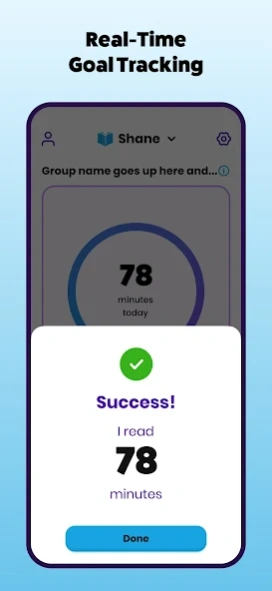

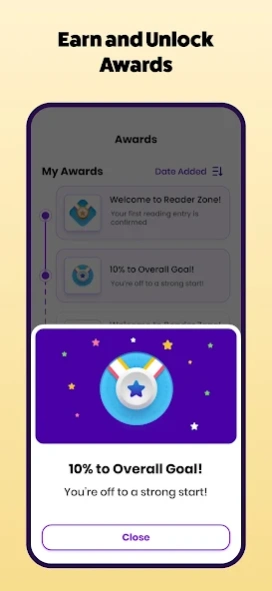
Build positive reading habits by participating in reading programs.
Reader Zone is revolutionizing how readers of all ages participate in school and library reading programs.
You can join a reading program hosted by a school, library or other organization. Use the app to enter daily reading in minutes, pages, books, or other metric defined by the hosting organization.
Daily reading entries take just a few seconds. The app shows how you’re doing with reading in real time. Readers of all ages will enjoy using the app to log reading progress.
Reading program organizers can create reading programs for any size group. Reading programs can have an unlimited number of reading groups. Each reading group can have a distinct reading objective. It’s simple to view and export reading data for incentive programs and to monitor the reading progress of participants.
Reader Zone is a powerful tool for parents and educators. It's easy to use and provides data that teachers, parents and reading professionals need to build cultures of reading in school and library communities.
About Reader Zone
The company that develops Reader Zone is Reader Zone. The latest version released by its developer is 5.3.24.
To install Reader Zone on your Android device, just click the green Continue To App button above to start the installation process. The app is listed on our website since 2026-08-17 and was downloaded 0 times. We have already checked if the download link is safe, however for your own protection we recommend that you scan the downloaded app with your antivirus. Your antivirus may detect the Reader Zone as malware if the download link to com.readerzone2.app is broken.
How to install Reader Zone on your Android device:
- Click on the Continue To App button on our website. This will redirect you to Google Play.
- Once the Reader Zone is shown in the Google Play listing of your Android device, you can start its download and installation. Tap on the Install button located below the search bar and to the right of the app icon.
- A pop-up window with the permissions required by Reader Zone will be shown. Click on Accept to continue the process.
- Reader Zone will be downloaded onto your device, displaying a progress. Once the download completes, the installation will start and you'll get a notification after the installation is finished.
Program Details
System requirements
Download information
Pricing
Version History
version 5.3.24
posted on 2026-08-17
Fixed an issue where some readers were unable to join groups properly
version 5.3.21
posted on 2026-06-12
Fixed an issue with the camera sometimes staying active even when not in use
version 5.3.20
posted on 2026-05-18
Stability updates and minor adjustments to keep the app running smoothly
version 5.3.19
posted on 2026-03-27
Updates for updating your password in the app and version check
version 5.3.18
posted on 2026-02-23
Bug fixes for the book bank and entries
version 5.3.12
posted on 2025-09-22
Fixed an issue for users with many books in their book bank, as well as an issue with past entries showing the wrong month on the 1st day.
version 5.3.05
posted on 2025-08-19
We fixed an issue with entering details into questions answered by readers as well as some bug fixes and performance updates.
version 5.2.86
posted on 2025-06-10
We've updated functionality for past entries, with awards now being triggered so long as criteria is met.
There's also a few small bugs and adjustments we've made for a better clarity and overall experience.
version 5.2.81
posted on 2025-05-19
Minor Bug Fixes
version 5.2.77
posted on 2025-04-28
Additional Features & Updates:
Updates to Groups & Activities
Book Bank Update
Bug Fixes:
Text Overflow
Component Colors
Disclaimer
Official Google Play Link
We do not host the Reader Zone app on our servers. We did not scan it for viruses, adware, spyware or other type of malware. This app is hosted by Google and passed their terms and conditions to be listed there. We recommend caution when installing it.
The Google Play link for Reader Zone is provided to you by apps112.com without any warranties, representations or guarantees of any kind, so access it at your own risk.
If you have questions regarding this particular app contact the app developer directly. For questions about the functionalities of the apps112.com website, contact us.
